nav2

Showing posts with label art direction. Show all posts

Tuesday, January 27, 2015

Gamejam 2015 - Ignite the Knight

I participated in this year's global game jam event - in Plovdiv. We were a 5 people team and we made a 2d html5 game. Gamejam offers only 48 hours to create a game. A big part of this time is taken by  other activities connected to the event.

My job in the team was to make nearly all the graphics in the game- all the environment art and player sprites!
You can see the GameJam entry here --  globalgamejam.org/2015/games/ignite-knight 

Play the game here online!

And a video Demo here:
 

Game Mechanics

The topic of this year's GameJam event was " What do we do now?".
We had a number of ideas for the game. Starting with a point and click game where the pilot has passed out drunk and you are one of the passengers trying to land the plane by guessing which button to press. We came up with variations of this idea with a boat and a bomb. But it all led to a game where guessing was the main mechanic and the player was not in control of the situation at all.

Next on we thought of a top down game, where the player is forced to navigate his/her way through a maze. In order to enforce the theme of gj2015, we made the floor collapse - forcing the player to constantly move.
I asked further to make the player continuously run in a direction - so it is impossible to stop moving.
The programmers were against it at first, but then after some talk on how it will help compliment the topic of the event and how to implement it, they caved in.

Part of the reason I wanted the continuous run mechanic was also the character design that I had in mind at the very start.


Animating the player Sprite:
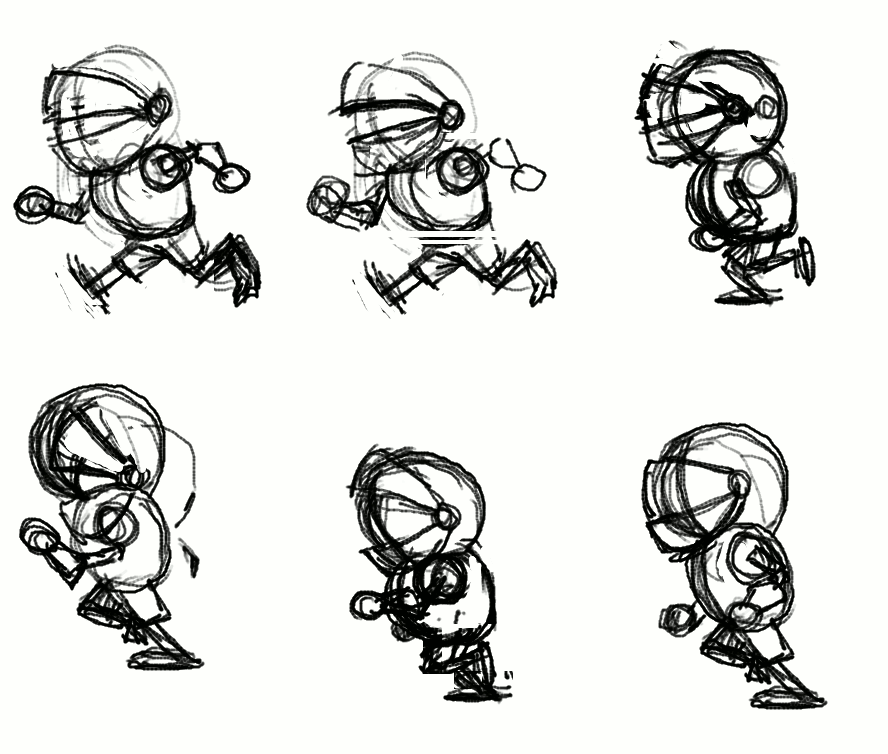

I started with a rough animation test in Pencil2d - which I gave to one of the programmers as a placeholder, so he had something to work with early
on. I made three placeholder sprites - side, front and back - of the run cycle! It is a bit messed up in the gif file here, so apologies.
The placeholder sprite is required to figure out how big the character will be on the screen and to implement the code for triggering the animation. This later on would drive some of the character design decisions- such as the thickness of the line, the size and amount of details, how tall he is and so on.


Modelling the Knight

Since the perspective in the game is top-down, the player sprite would require at least three versions for each animation it has. This led me to the idea of using Blender3d to make the sprite.
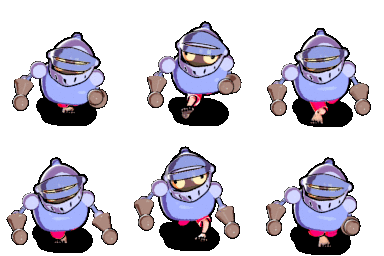
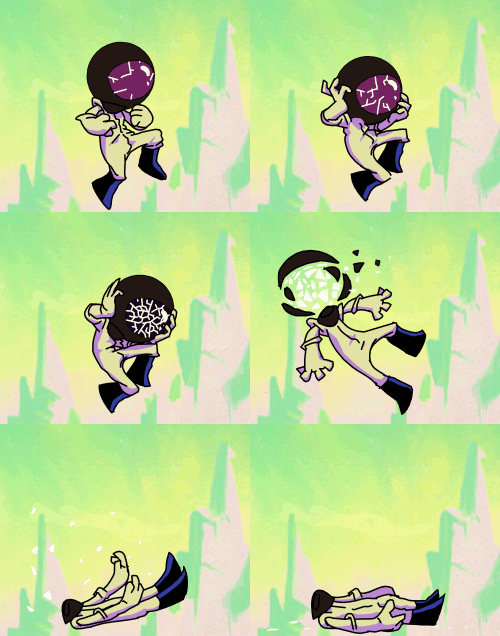
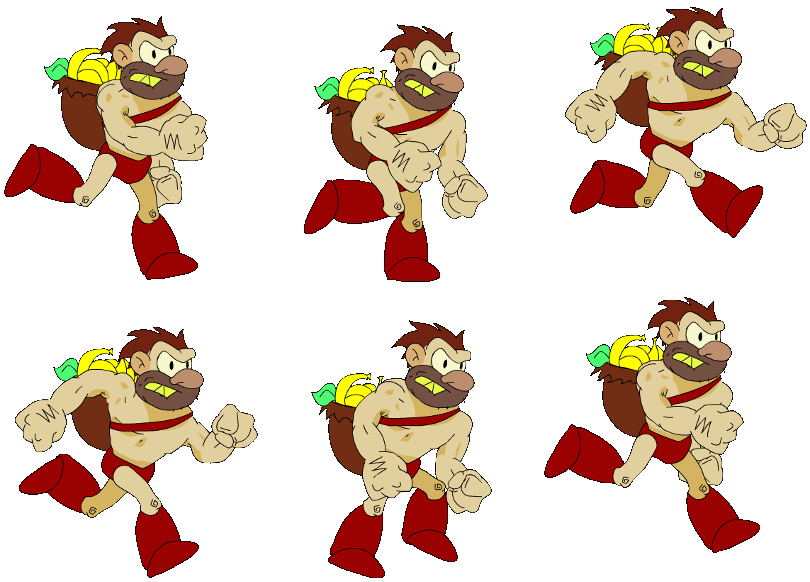
The idea behind the character is all aimed to compliment the continuous run gameplay mechanic. The knight has no shoes on and the floor is really really hot - running in his underwear, he is trying to get to the end. In this case the top half of his heavy armor is not helping the situation one bit. As you can see from the sketch, the character design is really really simple. It is taking into consideration how small the sprite would be on the screen. I modeled him out of really simple shapes - as quickly as possible. Then his colors were added via Vertext Painting - to skip the Uv unwrapping step altogether.  Since the final sprite would be 128x128 and the extreme limitation of our deadline, I couldnt afford to give him fingers.
I used rigify for the armature, but removed the bones in the hands and added extra bones for the helmet- to create a humorous secondary action later on.

Animating the Knight in blender

The knight has 5 actions in total:
Run, Idle (jumping on one place), Jump (over lava), Win, Die.
While working on the animations, I stumbled on some of the pet peeves that I have with blender's animation system and gui design. For example the lack of autoframe mode for f-curves and some other niceties that I missed from maya. I voiced my opinion at the forum.

The biggest problem came when blender wiped all of my animation data when closing the file- Without a warning! It nearly killed the project. Thankfully I already had my sprites rendered. However, It robbed me of the opportunity to further polish the animations and add a red ribbon on top of his helmet- for more secondary action.

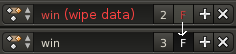
The automatic purge of animation clips , which by default have no user assigned to them is a decisgn decision in blender that has plagued a lot of users before me.  Blender deletes animation clips by default when you close your file and it doesnt warn you. One must click on a small "F" button in order to tell blender not to delete the animation.
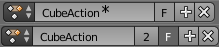
Since this terrible design has caused too many examples of data loss, I filed a bug report on the issue with the hope that developers will address it accordingly! For example Blender could warn you that it will delete a clip by color coding it and appending a "(wipe data)" message to its name or an asterisk symbol. I made a few mockups!
https://developer.blender.org/T43430#288111
While being at it, I also made a rant at blender artist about it and  suggested the Auto frame feature. One of the developers responded by making an implementation - to which I gave my feedback.


Rendering the sprite pipeline:
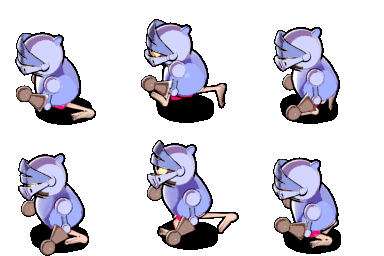

This project was a great way for me to test the latest version of my ADVANCED NPR SHADER -ver4 in a real production environment with a deadline. The shader gave the knight model a nice hand drawn style, which fits with the overall art direction of the game.
The cartoon line was achieved with the solidify modifier and another special outline shader.

Next on I had to set up the camera rig and the scenes. There are 3 scenes, which share a camera rig with 3 cameras- it was the only way to get blender to render a target from three different angles and give a conveniently rendered animation sequence for each action from three sides.


Painting the Tiling sprites for the Environment:


For the environment it was no brainer to use Krita. It has a feature that gives it a HUGE advantage over Photoshop - The wraparound (w) viewing mode  makes it very nice for painting tiling textures! Also the ability to clone layers, the numerous different brush engines and awesome interface. Krita is just wonderful.


Conclusions:

For this year's Game Jam event - I managed to meet most of my goals:
- The game we made was more ambitious and had much more graphics than the one from previous year!
- I used open source software for the entire pipeline! In the process I discovered bugs and design flaws, which were clearly voiced to the community and the developers of that software. I contributed back this way.
- I tested the Advanced NPR Shader -v4 in a real production environment with a sharp deadline. This shader will be made available some time in the future- along with a learning video course. It's one of my ongoing personal projects :)

In Other News: 
Gmic developers added a very useful feature that I suggested! This is exactly why I love open source software. Very often when you have an idea, the developer actually looks into it and if he likes it- BAM! It's right there a day after it was suggested:


The colorize filter is a great alternative to the traditional bucket fill tool. Give it a try. It's available in both Krita and Gimp.
-----------------------
Omake - some music I made with renoise in my free time:

Tuesday, January 28, 2014

Winning Game Jam plovdiv

This year we participated in the first global game jam event in my home town- Plovdiv.
"Team Chameleon" was formed out of 5 people: 2 programmers, one graphics guy (me) ,a musician, and a level designer.

You can play the game HERE in your browser.

And THIS is it's entry page- on the global game jam website.
Howto play the Demo:
Please note that the game doesnt have a loading screen yet, so you will need to wait a bit for the graphics to load from the web. 
The astronaut can see in one of the 4 different color spectrums. Hit spacebar to switch between them and make their platforms visible. Also note that seeing in a color spectrum also makes you SEEN by the monsters that exist in that spectrum. The goal is to get to the bunker! :) 


The game won us the industry game jam award- given to us by gameloft!
------------------------
Organisation

During the first day of the event, when the topic was revealed:
"We don't see what we see, we see what we are" (or something like that)
All I did was wonder around and try to get to know people in the room - find out what their take on the theme was and also to see if I can find some programmers. 

The initial idea of the game is that we, as human beings have a limited perceiving of the world - for our eyes can not see the complete spectrum of light. This idea came to be after a chat with a color blind guy, whom I met at the event (what are the odds).
After finding 2 excellent programmers, or more like them finding me- we got together at the table and had to come up with a game pitch in less than 30 minutes!

For this part the best thing for me to do was to allow for everyone to shoot ideas and on my part-write them all down on a piece of paper and compile the pitch. 

Some of the ideas were:
- Colored vs black and white
- Perceiving things in a wrong way (in different colors)
- Seeing only things in certain colors.
- Forcing the player to memorize where platforms are
- Point and click items in a room in a sequence - in order to proceed to the next room (puzzle)
- Platforming (voted on this - it's a popular genre that people understand)
- At the end of the brainstorming session I enforced on the team the need for antagonism. Memorizing platforms is not enough to keep the players on their toes. Thus enemies need to be hidden in every color spectrum.  

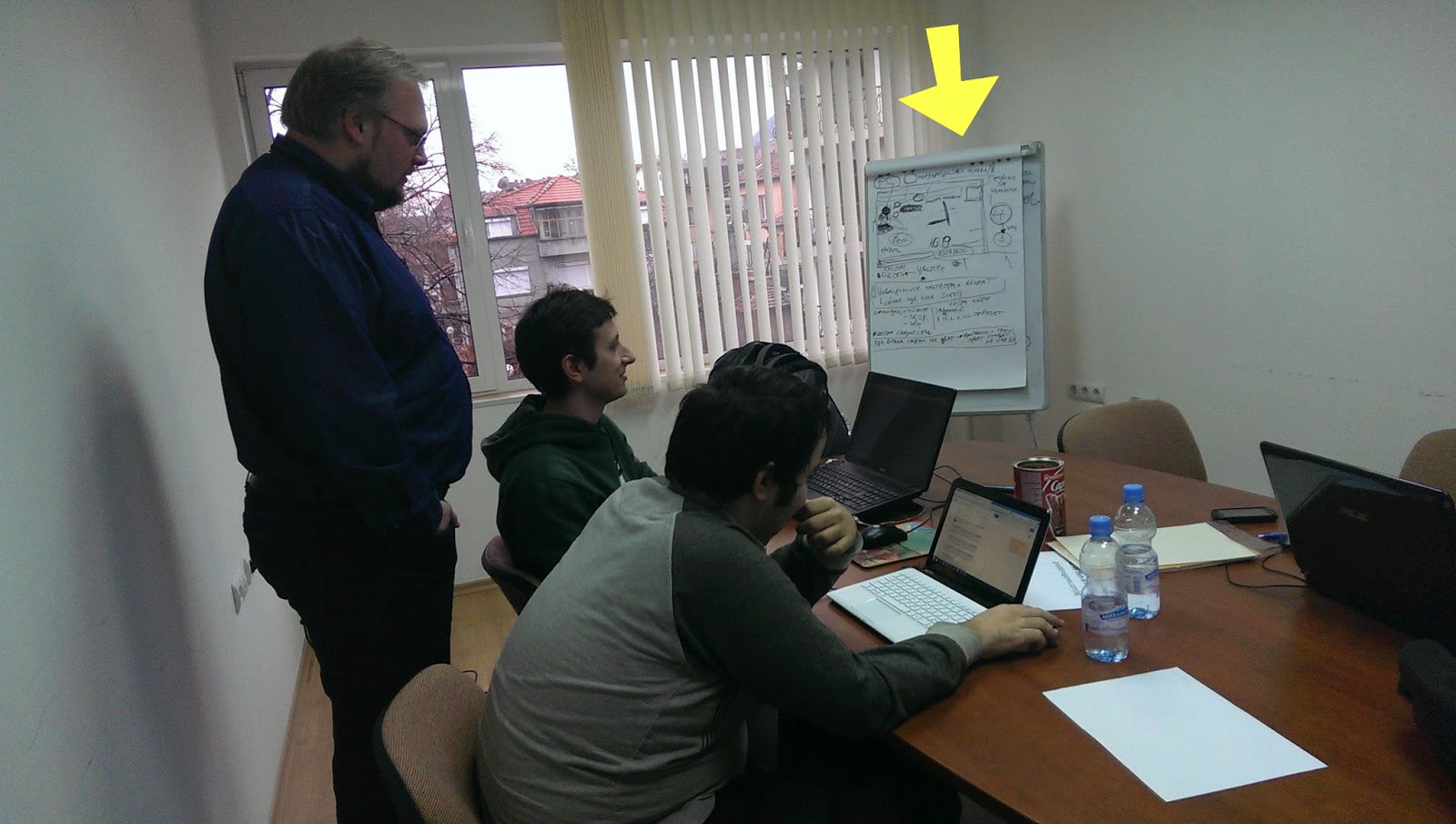
After the pitch was done, I got everyone on the team sit down together and flesh out the idea.  We were 4 people in the room -  having us all vote wouldn't have worked, so my involvement in this part was not to vote on ideas. Instead I sat outside the idea pool and acted as a mediator. I outlined our production plan on the white board -going through everything we need, see if everyone is on the same page and if not- let voting do the work. People brought up valid issues in the design and they voted on the best solutions - fleshing out the design. Would invincible platforms still act as platforms or not? Would invincible enemies continue to chase you while you don't see them? Is the outlined plan realistic for the 48 hours? What are our priorities- which features can be labeled as "extras"? What do the programmers need from me- the artist and from the rest of the team. What resolution would the game run in. How big is the sprite. And so on.

While one of the event organizers told me that we are wasting time with this planning, I still believe that one hour wasted on planning saved us from several hours wasted in arguing and headaches. I have been through this with other teams in the past and I knew what a recipe for little disasters looks like. It's when problems are brought up really late during production!
---------------------------------------
Workflow
First of all, game jam is an event in which a team has to make a game in 48 hours. Since I was the only graphics person in the entire team, I had to choose my battles wisely.


It started with an animation pencil test (done in pencil2d) - so i can give something to the programmers early on- for them to test with and also for me to get an idea about sprite size. This would later determine the line thickness of the final sprite and also the detail design.

Next on I looked for inspiration from "The forbidden Planet" and other b-movie posters from the silver screen era of awesomely cheesy 3d movies.
And thus drew the initial background- as tall as the game resolution and as wide as I my heart desired (then cropped it).   

Using Artrage- for it's natural media tools. Those helped me get closer to the poster vibe. Back in those days artists had no computers. I even faked some scratches on the paper and extra paper grain.

Having a BG tile lets me establish the overall color palette of the game - something that is a reference point when choosing colors for the player,platforms and enemy sprites - those need to stand out.

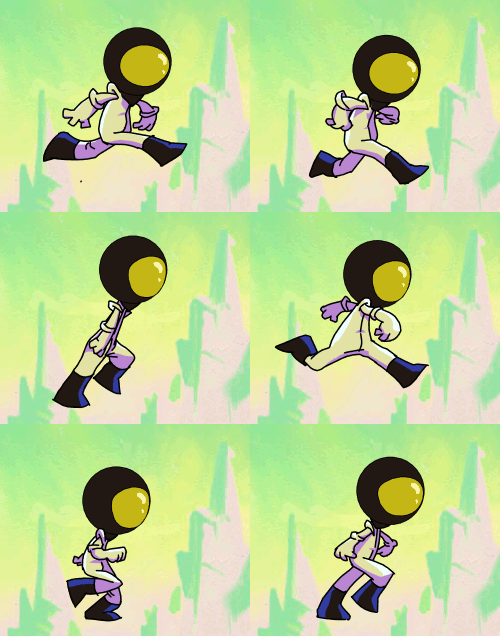
For the final sprite animations I used Toonboom studio. This allowed me to tweak colors and crispy line thickness. Finally- exporting to any size that my heart desires (or more like the programmers desire)- one of the greatest advantages of vectors.

Both the enemy and the player sprites are animated inside the same file- to save time and to have an easy way to compare them. The enemy design and coloring is inspired by a stylistic effect some pulp posters use - depicting it as a dark shadow with a detail defining neon rim light(s).
I managed to plan enough time for doing some 3 tone cell shading on the player sprite. The programmer required me to export both the player sprite and the enemy sprite in 4 different color mode versions. 


I know I could have done this as a cut out animation rather than inking all the frames. I chose to do it the proper way because setting up a cut out rig alone would have wasted that time anyway- the sprite animations are short so it wasn't worth it compromising their quality. If they were longer or the programmers needed it cut out for some procedural things- like armor swapping- then I would have had used "Spriter" instead of toonboom studio.

All this and much more was done in less than 48 hours!!!
Even managed to speedpaint a picture for the title screen during the last thirty minutes.

The title picture reuses the Planet graphic. There is the obvious mistake of having a different number of fingers. That index finger sure is crazy. But this is what generally happens after some sleep deprivation. :)

What didn't make the cut:
Our level designer kept insisting on having different backgrounds (suns) for each color mode. I resisted  because it complicates the core "hook" of perceiving colors and it is also creating more work for me.
He also insisted on having cut scene drawings to tell a comedic narrative. While this was welcome by me since his ideas on those are really entertaining- I decided not to do it because things with more priority were not finished. 
If we had more time I would have had the programmers change the font at the title screen, fixed the issues with my own half baked graphics, had insisted that platforms in the game are jump through type rather than solid, had insisted to place a different background for each level and a different music too (the musician made more than one tracks for the level) and many other things.
But this game is finished now and it's time to move on to better things. :)

Saturday, August 3, 2013

Superfrog HD (froggy) - Demo, downloads and outcome

PLAY level 1 web demo link
notes: Best experienced with firefox.
It's missing sound effects (not implemented in code)
The hud wooden plank and other graphic glitches can be fixed in code, but the programmer/tech director abandoned the project.
Project is on hiatus/discontinued.
Controls: spacebar (jump), wasd, arrow keys(move), mouse click(throw spud),
Download APK for android devices
Download windows version.


The artstyle guide - review stage:

SF art style guide- review stage 
and Polish stage


What is my involvement in this?
- I was picked to do the art direction. Also do all the characters in the game. 2d and 3d animation,modelling,rigging,etc..
A big  part of my internship at Disney Interactive Studios was in assisting   the art director there.  This was an opportunity to continue the art direction experience somehow.
- Some of my previous "cartoony" art style fits with the target style of the game.

In order to explain how I affected the game, I need to explain the production steps of developing it's appearance and where I sat in this process. 

Stage 1 and 2 - Research and Art style development.
First of all the art director needs to develop and pitch the visual style of the game. I looked into different cartoon styles in games similar to superfrog - modern games. Looked into what works best for the target platform- mobile. 
Picking a style is not enough, one has to also define the characteristics of that style. Find good and bad practices, set a number of simple rules.  Feed into it a number of ideas that would give it some unique flavour.

Others in the team were welcome to create concept art, but during the style development stage I was the only person to create concept art of how the game can look like - the backgrounds, the enemies, superfrog himself. The style also had a goal to bring to modern day the original IP, so it was important to treat it's landmarks with respect. Team 17 was great in that they gave us feedback during preproduction.

A document called "the art style guide" is then formed and is something that the art director must constantly update in order to communicate with the artists on the team. It's like the bible of the game's art style.

Stage 3- Asset creation and review.
 At this stage, my role was to make sure that all of the assets fit into one style- they look like one person made them.
When we first started, all assets looked like they came from different games.

We have good artist, but they have their own styles that dont necessary fit with the game we are making. I reviewed the assets and made suggestions for how to change them to fit more with the rest. 

This is a very fine line to walk because a good  director should steer the art team to use a consistent style but not limit their imagination and creativity - on the contrary get them to put their minds and hearts into adding a level of quality to top the expectations. And the artists had that freedom..
 So while I asked people to do changes to their assets, in the end the background assets you see in the game are really their designs, their ideas, their work.

Mike made the modular pieces and their uv- making them easily manageable.
Sarah made the majority of props in the game  and textured them. 
Nareice put together the level layout, but I added a lot of props on top to make it look better.

The art style guide contains most of the changes I requested complete with screenshots and notes.

This style was  initially out of the artists comfort zone. 
But they adapted. Some of the assets were immediately approved. I set a rule to myself not to review an asset more than 2 times even if it needs it - that was at the point when we were running out of time.

Stage 4-  Level polish
At this stage I had to make suggestions about polishing the environments in the game. So working with the environment artists to ask them to do more on it- bring more to the level.
However in the last month of development all that was left was me and the main programmer.
 I had to repeatedly look at every nook and cranny in the level and make sure there is nothing that seems out of place or missing.
This is the current stage of production. There is still a lot of work to do on it. Some decals and assets are missing. Animations are not all implemented in code. Graphics are missing. A lot of the suggestions are not applied yet. Sound effects have been recorded but not implemented. A lot is not implemented in code.

This is the prezi we presented as a team to the university- on our final d4i day.

The deadline- Game republic
 Game republic was our deadline. In the last month everyone abandoned work on superfrog (almost) in order to focus on their individual entries. I had an individual entry too, but I continued to work on creating marketing material for the event and ironing things out.

At the end of this journey Team Stilton won the 3rd place in Best Artwork for the game, which was renamed to "Froggy" for the event.  We won the against over 20 other entries.

"Just add water" gave us the award, crediting the "art direction" work in it.

 If we all had worked harder, I am certain that we would have gotten a 2nd or even 1st place. Unfortunately our entry was incomplete and not polished enough. It became clear when seeing the competition.

Friday, July 19, 2013

lessons learned from freelance jobs 2009-2013

I did a number of freelancer jobs in the last few years. That helped me immensely in learning to work with clients.

Animation for a documentary intro in 2011
Sometime in my second year of university I got in touch with Elaine who at the time lived in Japan. She asked me to do a 2d animation intro for a japanese documentary about football.
The project got to the rough animation outline stage, which she really liked.

It was going great. However at that time the power plant disaster hit Japan, so  the project was discontinued. I'm not sure that was the cause but it looks like it is related somehow. I did not get paid  yet. She is very nice  - recommending me to other people. Sometimes a project will get discontinued, not because the client is bad or you are bad. It's just life- nothing is certain. So get payment in advance- to guarantee you are not working for free.

Mr Jigglebuns 2013
I was to model, texture and rig a character based on a single reference image- for the front view. The character design is by a guy called Brian. We got this to the end of the modelling part + his requested revisions. He wasn't sure what he wanted for the character. He asked for revisions which were not included in his own concept art (like adding more fur, a bigger and more defined bum and in the end even adding pants)...It's a cat with a big butt that jiggles when dancing. Do you get that impression from the picture? :D


I made sure that the contract I requested for the project includes a clause for the extra features. In the end I didn't get a contract to sign and there was no NDA. I haven't heard from the client in almost half a year now so I  post the WIP screen shots declaring this project to be dead. A few hours worth of work wasted, but at least I have the model and some screenshots :)
This experience taught me about the importance of freelance job contracts. Really really tight contracts with detailed clauses. It's something that I should have started working on after having such a contract sorted. It also taught me the importance of getting to know a client. The more you know, the better for both of you.

The  Salmon Road
In 2009 I made a book cover illustration.

It was a proper paid job with a contract. I worked closely with the publisher to make sure the book looks good when printed.  The client in that case was a smart guy who knew exactly what he wanted and worked very closely with me to get it. He had a lot of input on it. Everything was A-ok, everyone was happy in the end. I got paid as expected.

I learned two things from the job. First of all Printing technology has a limited colour Gamut compared to rgb. It's important to get your colours in that gamut (CMYK mode) and show the client how it will look like when printed. Colours can completely change the mood of a piece. details may get lost in printing. You may have to do lots of colour correction and print tests.
The second thing was about creativity. My first version of the cover was in caligraphy style. It was originally intended to be on one of the pages of the book. The bird had no colour- it was stylized. But the client requested that I put it underwater, give it volume, give it colour. That is when I realized- It's not my vision- it's his. And I must follow it as closely as possible even if I have to loose something that was good in the first place. I may always have an ideal version of the work in my head, but the one that is to be submitted should and must fit with the vision of the client.


The Working Academy jobs
Since the start of 2013 I have been taking part time freelance jobs for
 the working academy at Bradford University.

They are a bit like an agency and have real company clients. I am currently doing some work for them.
There is no NDA in this perticular case, so I can share previous work.
The BBC and The Bradford Media Museum needed three mini games for the big screen in town - and to be used at festivals. The working academy hired me to create some animated sprites for the games. I had to make sure they are made in a way that is good for the programmers - in this case "Gaslight Games" - a local game's company. The highlight of that experience was spending a day at Gaslight Games to finish off the sprites and fix some stuff on other people's sprites.


Some lessons learned over the years


  • Do not start work on a project before both you and the client have a contract that you agree on- outlining in detail the work and the deadline(s).
  •  Make sure that you get an advance payment upon signing the contract - if you can. Some clients might get you to work on something for weeks or even months before the promised payment. And the payment might never come when the project is suddenly discontinued.
  • Break the project into green light stages - keep the client updated and get as much input as possible. Make sure you also break the payment into stages if possible.
  • It's a very common case with freelance clients that they make you do much more work than what you expected.  The more they are unsure of what they want, the more problematic it will be for you to deliver it on time. It's important that  they find that vision early. If they don't have any mock ups or concept art, request it or make it. If their project has unclear goals, make them clear things up. Ask all the questions you need in order to fill in  the gaps. If they want you to explore an idea with variations, that should be something you agreed to do in the start. If they ask for more (as a result of changing their mind) then they must pay extra for the extra work. Make sure that's covered in the contract.
  • Give them your input as well- early on. Let them know about any potential risks on the project. Explain possible ways to approach challenges. It depending on whom you're dealing with of course, so have that in mind as well.
It will be great to get some input from you folk of the web? Do you have any client stories you'd love to share? Any advice on working as a freelancer? I want to hear from you, learn from you. :)
So far the more freelancing I do, the more it makes me wish I had a normal job.


Tuesday, February 12, 2013

d4i - round 2 - Superfrog remake game for Team 17

This is for a group (team Stilton) project that I am part of in term 2 of my final year in University - design for industry module.
The goal is to recreate a 90ies classic platformer game by team17 and make it relevant in today's market. The name of the game is "Superfrog". The target platform is Iphone/android smart phones.

This is what we pitched to Team17, at their office:
It went very well. They were impressed by our progress so far and the approach we are taking.
 The presentation slides 13-21 are the ones that I worked on and presented.

A little disclaimer about the game:

It's merely a demo of the first level and a test to see how it works out as a modern remake. At this point, it's just an university assignment and a fan-made game.
Team 17 is awesome in a way that they will aid us with feedback.
Please note that I (and the others) have signed an NDA paper as well.

However, due to the nature of the legality of our university owning the demo, this game is likely to not be bound by secrecy. This can be very positive, as it allows us to seek the most hardcore superfrog fans out and get them involved!

We want to create something that not only pushes the graphics and makes it competitive/relevant today, but also keeps all the core ideas that hold a special place in people's nostalgic hearts.

It's going to be a brave remake that brings it back to life with a kick.
That means adressing the old art style, adressing the level designs, adressing everything - so its extra "Super" :D .

EDIT: Today Team17 announced and made it public that they are remaking Superfrog.
They did tell us that they are working on a remake at the meeting, but we did not see it. Our game is not to be confused with that, as it had no impact on the development of the official remake, nor did the official have impact on the development of team Stilton's superfrog.  I never saw the official concept art or assets while working on the art style guide and my concept art. Looking at the sprite, mine is very different in character design. They kept with the original more, while I used a number of tricks to make the character look more like a frog and sneak in some more superman references. It's a good thing that we didnt see how othe official one looks.

That said, we are NOT working on the official Team 17 game. It will be interesting to see how our game is different to theirs, as we take an alternative route. :)

 I was assigned as Art director and lead character modeller and animator  but also ended doing the majority of the concept art.
During the christmass break, I compiled an art style guide that looks into the graphics of different platformer games and reverse engineers their approach. It also contains a big number of changes that our game will have from the original.
Here is the WIP art style gide:


As work in progress, please note that it is going to change, new slides will be added, old slides might be removed or changed.  

Here are some of the pencil tests of run cycles I did for superfrog:


The concept art for the enemies:
I picked a number of the original enemies from the old superfrog (depending on how often they appear in world one and how much time it would take to animate- snail has no legs, bee doesnt walk, hedgehoog's knees are hidden). Using Artrage 3, made a quick concept drawing of some of these enemies and decided to model three of them.

And finally the concept art for the level itself:

To create that I decided to be a bit cheeky. The background (skybox) plate was drawn in artrage, then imported to inkscape.
The reason I chose to use inkscape(VECTORS) for the midground (and some of the BG that will paralax):
- It allows me to create clones of a single object. When I change the original, all of the clones update to accomodate the changes. This is very useful when you need to make the asset fit with the rest of the environment. It saves time!
- It forced me to be modular even in the way the level concept art is made.
- It helped me understand possible issues in art style when starting to put the assets in Unity. I numbered those issues and wrote them on a notes layer.
- Much smaller file (since its made of mostly clones of just a very few actual objects)
- Less destructive editing
- Helps me preview if a tiled texture is tiling well.
- This approach gives a nice and easy png files with transparency (grass strands) that are already named to export to a consistent directory.
- Textures and assets can be used in unity as placeholder graphics. The vector nature of the file means that the object size in the file is the size you get when you export, but that can be multiplied by the dpi factor and  give very crisp and clean images in any resolution due to pixel snapping.

I shared the source SVG file with the rest of the team to play with. Some of the team members expressed interest in using it as a starting point, others with no experience or desire for vector graphics decided to stick to photoshop.

The programmers on the team were able to put together a quick unity demo with the assets from my svg file for the presentation for Team 17. Experience in creating gameplay mockups at Cogworks and Disney interactive paid off!

I am sure that game designers would be smirking at the idea of putting a platformer style gameplay on a touch based device without buttons. Team stilton has come up with a number of ways to accommodate the limitations. We are going to take on that challenge. The game will hopefully have an online ( unity 3d engine) demo which anyone can play for free in their browser.