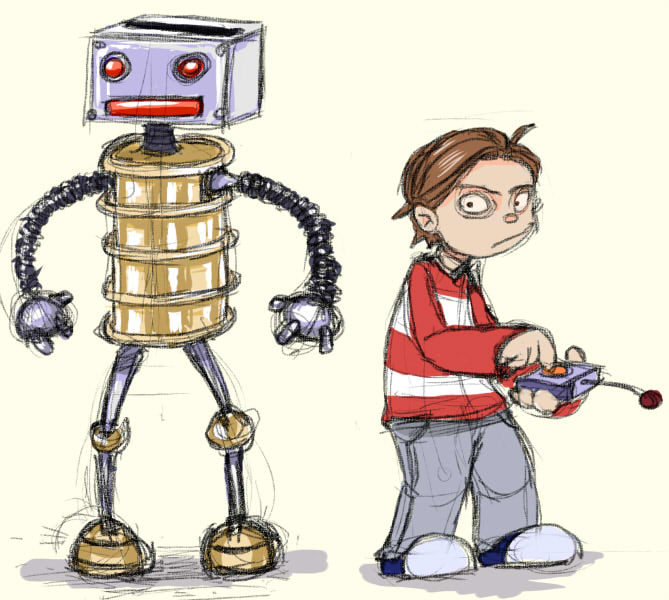
Obviously I had to take it apart and mess it up to demonstrate the set-up. The only symbols of the rig that contain variations/animation are the hands and the head, thought in some cases it might be useful to have that for the torso as well. One thing that could have been done to improve this is to make it possible to move the character's shoulders by adding one extra chain with a hidden symbol between the neck and the upper arm.
Bugs in flash cs4
Here is my report on problems I met while doing my Toast! animation for Bradford university. I might have to add some more to the list, as it is not completely finished yet.
Bugs with the rigs/ rigged symbols:
*Bug: Head symbol animation won't play properly timed in test movie/exported file, thought it plays just fine in flash cs4. It will freeze on the first frame it is set to start from
+fix: When you have an armature layer, be sure to set it to start from frame 1 and it doesnt have any blank space before it starts. Put it in a symbol and have that symbol start the armature animation inside from frame one.You can tell the head symbol to start from whichever keyframe it starts in the particular scene in the armature itself.
*Bug: After the armature is keyed and animated, for some reason its messing up the pivot points and that causes limbs/head/bodyparts to fall off.Even when you move them to attach them back, that breaks their position in previous keyframes.
+fix: Quickest way is to just start over and
DO NOT DO the following after you start keying the armature (you can only do it before you animate), it will cause this bug:
--don't use the transform tool on the armature layer- be it parts of the armature or the whole layer.If you need to move the whole model, put it in a symbol or set the armature in a way that lets you move it (enable movement on root or skeleton).
--don't touch any pivot points
--don't alter any of the constraints that you have already set up. Be sure to check that you don't have to add or take value before you start animating. You can enable and disable rotation and so on, but you can not touch the constraint values that you have set before animating.
--Don't ctrl(+shift)+up/down -- arrange the symbols -- after you start keying your armature. It might cause weird problems.
*Bug: After copy-ing the symbol that contains armature animation and transform-->flip it horizontally on a keyframe, that flips the symbol everywhere else (in all scenes that it is used in)
+resolution- I couldnt quite find a solution to this problem. In my animation,I had to turn my character to the other direction and make him run. The only way to do that was to create another armature and use most of the symbols from the previous one.
*Bug: If you have multiple symbols on one layer ,and you select them ,right click and choose "distribute to layers", Flash CS4 might either give you "unknown error" or crash altogether,losing all your progress.
+ to avoid: dont "r.click>distribute to layers" many symbols and especially if they contain other symbols. Save your progress before doing that.
Flash CS4 symbol armatures can NOT do the following things:
You can not set loop/start/single frame on every keyframe of the armature's layer. If you need facial animations, you can only tell the armature where to start from, so the whole timing of that animation must be inside the (head) symbol itself, no cheating there.
You can not put any blank keyframes in the armature layer.
If you resize it in timeline, it will also alter the timing of the animation, it will take away or add space between your keyframes (really annoying!)
You can not really move any keyframes of the armature layer. You can only cut and paste them one by one (no multiple select). Some times it just does not work at all. When you paste a keyframe of a pose, it just adds the keyframe there,but doesnt add the pose itself.
Shape armature: Its somewhat limited and hard to move. It makes the file harder to play. You can not attach it to a symbol armature,which is a real pity.You also have to use the bind tool to skin the shape. The bind tool has one of the worst gui's I have ever seen in my life. It's deformation point markers are huge and often overlapping each other, even when you zoom as much as possible. That makes it hard and even impossible to select individually (or see for that matter) some of the control points (or most of them).So when you make a shape to rig, for the love of god, draw the shape with the pen tool- use as less as possible control points!
My overall impressions of Flash CS4:
Shame on you adobe, for releasing such a bug-riddled version of flash! It introduces the new ik features,but It is so buggy and limited, that it is somewhat better to avoid using ik if possible. If you want to have nice IK structures and parenting, go for Anime studio (moho) or toonboom Animate. Both are nicer for animation , more stable and probably cheaper as well. Flash CS4 has caused me some grief, but I think that I managed to establish some control over some of it's new features.